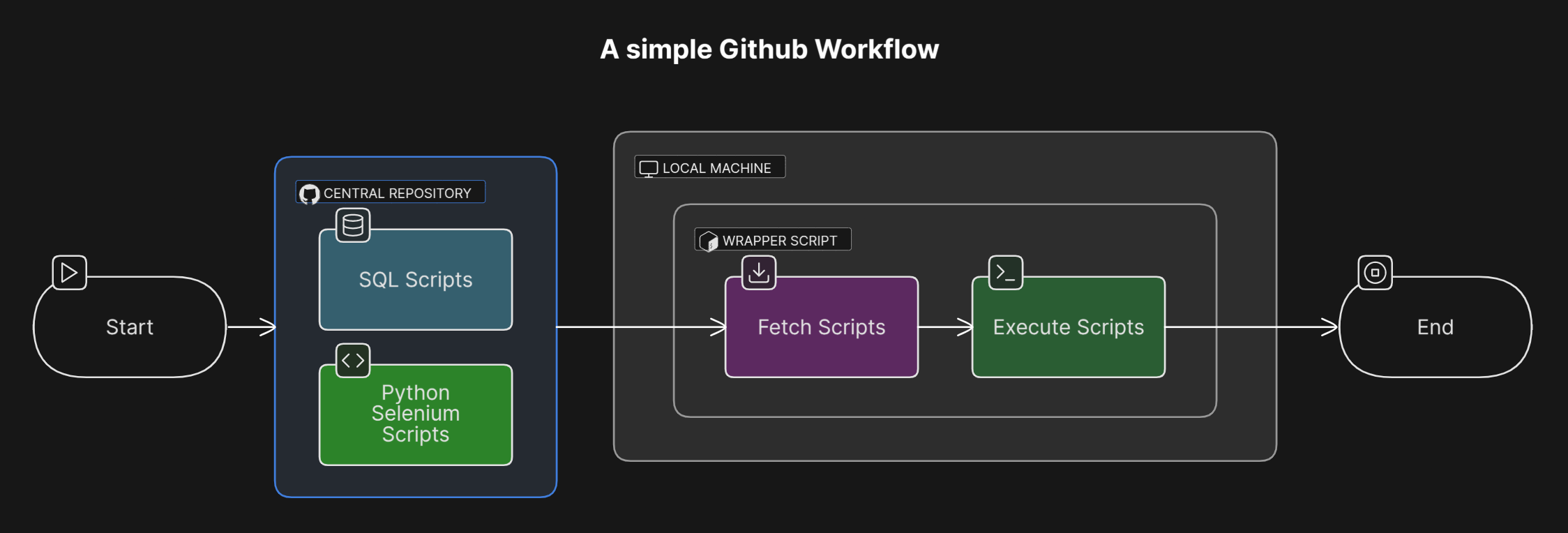
A simple Github Workflow
The idea is to showcase how we could use Github as a central repository containing all the relevant scripts for testing and how it can be triggered from a wrapper script locally. Ideally we would require a central repository to track all the necessary scripts which are required for testing.
Steps
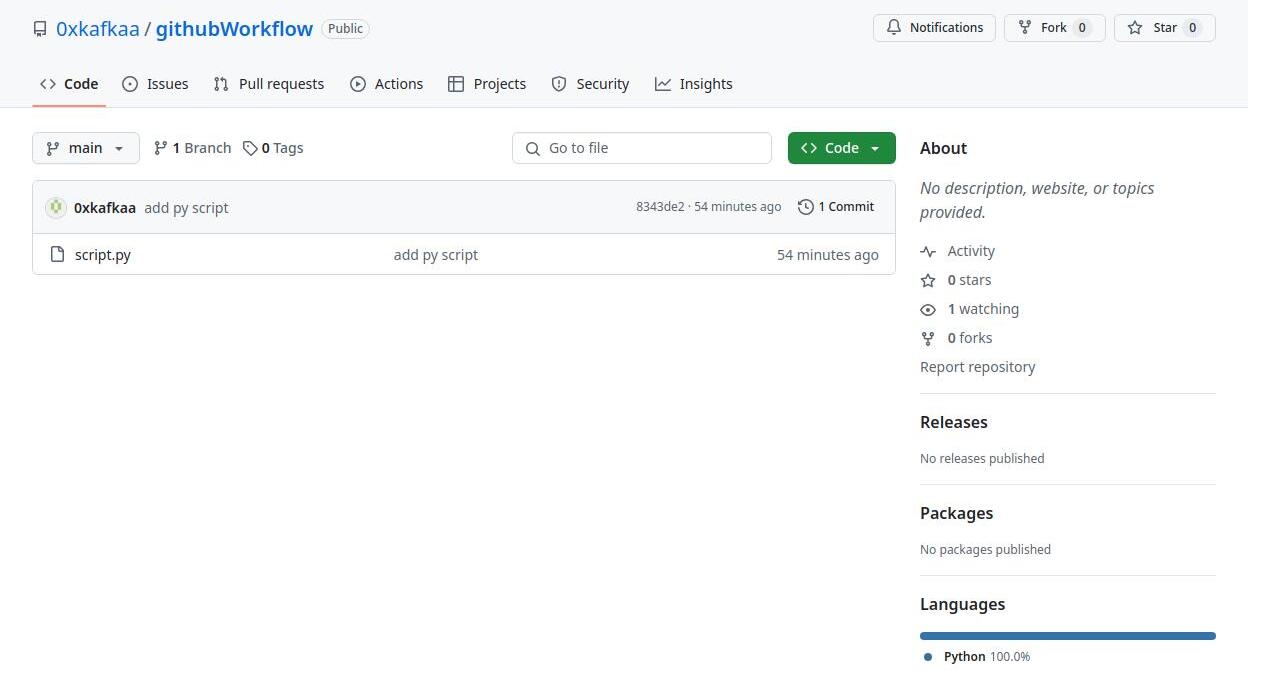
Prepare the Github repository containing the relevant scripts. Here we have a sample repo containing a python script.
As you could see from the workflow, the wrapper script fetches the required scripts from the central repo which is Github as of now and triggers them locally. The following is the wrapper script and its present in the local machine.
bash
#!/bin/bash

# get the code from the central repo
echo "Wrapper script started"
echo "Start - Get the code from the central repo"
git clone https://github.com/0xkafkaa/githubWorkflow.git
echo "Completed - Get the code from the central repo"

# move to the githubWorkflow directory
cd githubWorkflow

# set up python env
echo "Start - Setting up python local environment"
python3 -m venv .env
source .env/bin/activate
pip install selenium
echo "Completed - Setting up python local environment"
# trigger the script
echo "Start - Trigger the python script"
python3 script.py
echo "Completed - Trigger the python script"
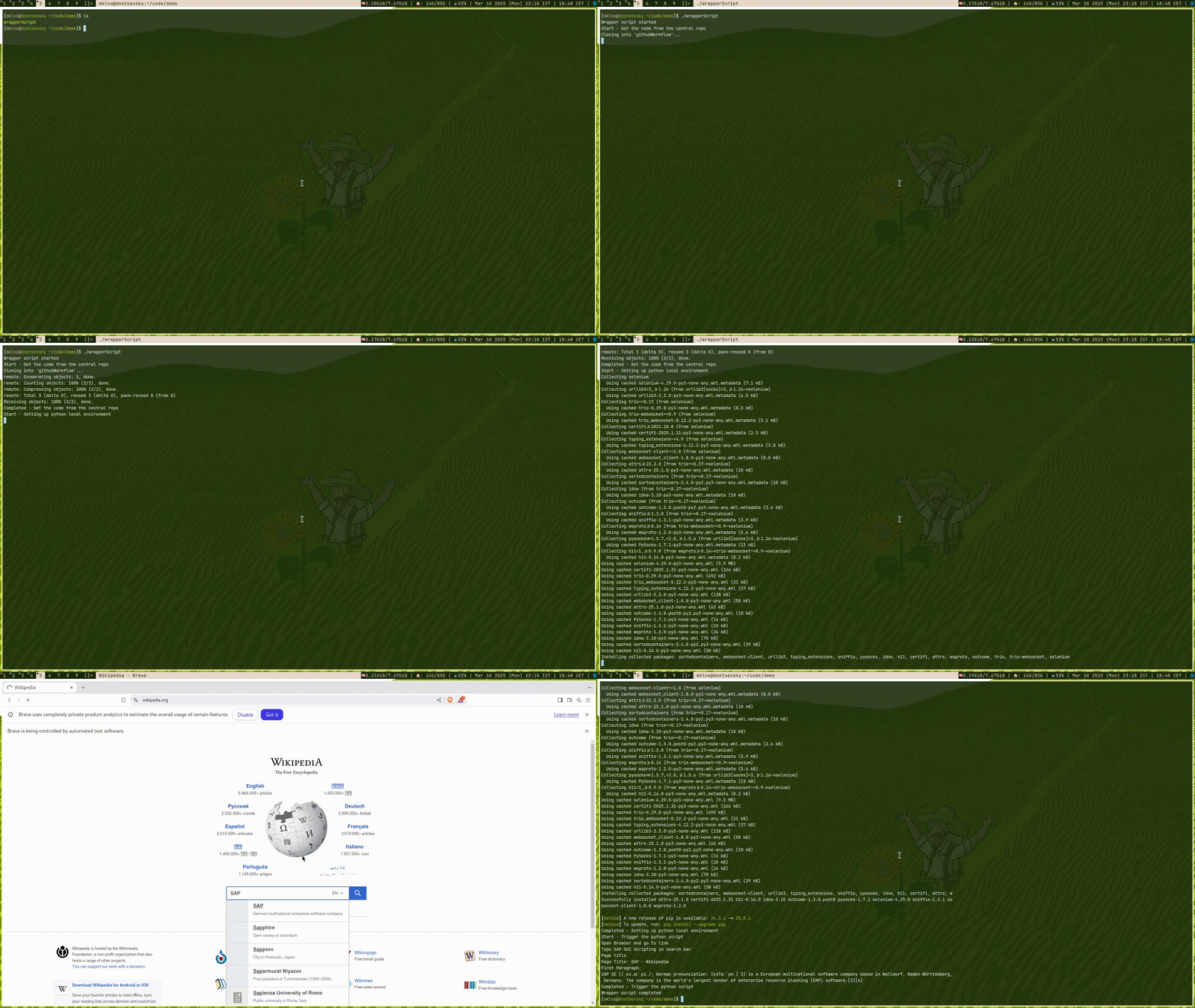
echo "Wrapper script completed"- Executing the wrapper script. The wrapper script fetches the python script stored in the central repository to the local machine and then it prepares the local environment to run the python script and then exectutes the script. The python script just opens up the browser and goes to the wikipedia and fetches some content and print it.
py
from selenium import webdriver
from selenium.webdriver.chrome.service import Service
from selenium.webdriver.chrome.options import Options
from selenium.webdriver.common.by import By
from selenium.webdriver.common.keys import Keys
import time
driver_path = "/home/mklno/downloads/chromedriver-linux64/chromedriver"
brave_path = "/usr/bin/brave"

option = webdriver.ChromeOptions()
option.binary_location = brave_path

service = Service(executable_path=driver_path)
browser = webdriver.Chrome(service=service, options=option)

try:
    print("Open Browser and go to link")
    browser.get("https://www.wikipedia.org/")
    search_box = browser.find_element(By.NAME, "search")
    print("Type SAP GUI Scripting in search bar")
    search_box.send_keys("SAP")
    search_box.send_keys(Keys.RETURN)
    time.sleep(2)
    print("Page title")
    print("Page Title:", browser.title)
    first_paragraph = browser.find_element(By.XPATH, '//*[@id="mw-content-text"]/div[1]/p[2]')
    print("First Paragraph: ")
    print(first_paragraph.text)

finally:
    browser.quit()
Demo